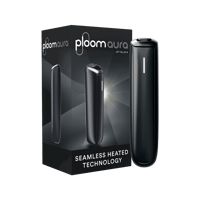
Get Started with Ploom AURA
Ploom AURA was designed with simplicity in mind. Discover just how easy it is to get started and personalize your experience with our Ploom AURA guide.
How to Use Ploom: Step by Step
Unbox your new Ploom and start using it effortlessly with our handy step-by-step Ploom guide that will have you enjoying moments of meaningful pleasure in no time. And remember, if you need any help at all, the Ploom Care Team is only a click away.
Unbox and use your Ploom
Get to know your new device and enjoy a smooth, flavorful experience from your very first session.
Our video tutorial walks you through everything you need to know.
Follow the video and the steps below to kick-start your Ploom experience.
1 - Fully charge your device
2 - Slide open the cover
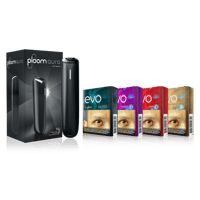
3 - Insert the EVO for Ploom stick CleanSeal side down
4 - The device will automatically heat up. This takes around 25 seconds.
5 - When you feel two vibrations, the device is ready to use.
Get support if you need it
Have questions or need help of any kind? Reach out to the Ploom Care Team, who will be happy to assist and support you.
Questions about Ploom AURA
Your new Ploom AURA will arrive set to Shipping Mode. To exit Shipping Mode, you'll need to plug it in briefly, connecting the USB-C cable to the base of your device. You can charge the device for just a few minutes and start using it straight away. Alternatively, if you want to fully charge the device, leave it plugged in until the line LED flashes ten times and vibrates simultaneously. Ten LED light flashes will only happen when you exit Shipping Mode. Every time you charge your device from now on, the LED light will blink twice and then turn off to indicate a fully recharged battery.
1. Connect your device to the USB-C cable.
2. During charging, the line LED will blink until your AURA is fully charged.
3. When the battery is fully charged the line LED will blink twice and then turn off.
A few things to note:
- You won't be able to use your Ploom while charging.
- During charging, the battery status function will be disabled. This will be enabled again once your device has finished charging.
- You can charge your AURA with the slider open or closed.
- We recommend you use the dedicated Ploom USB-C cable when charging your Ploom.
- Watch our video for a quick demonstration here.
Your Ploom AURA includes innovative CleanSeal technology, a sophisticated barrier that delivers an even cleaner Ploom experience by preventing loose tobacco from falling into your device.
However, your device will still gather some dust and dirt, so we recommend cleaning it once a month, or when you feel the oven is too tight to correctly insert a heated tobacco stick. The Ploom cleaning sticks are a handy accessory to help you do this. Here's how it's done:
1. Remove the front panel.
2. Slightly moisten a cleaning stick with water.
3. With the slider open, insert the stick into the oven and gently scrub the inner surface. Pay particular attention to the areas around the slider and the two protruding parts just down from the top edge of the oven.
4. Remove the remaining moisture from the oven and re-attach the front panel.
5. Start a session without inserting a tobacco stick.
Resetting your Ploom AURA is simple.
1. Remove the front cover.
2. Gently press down on the button for five seconds with a thin pointed object like ballpoint pen.
3. The LED line will blink rapidly 10 times and your device will vibrate. Your Ploom AURA is restored to its default settings and ready to go again!
NOTE: If the red LED dot illuminates for five seconds, this unfortunately indicates a permanent failure error. If this occurs, you'll have same result when connecting the USB-C cable. A permanent failure error cannot be fixed by resetting your device.
During regular charging, the LED line blinks until fully charged. When the battery is fully charged, the LED line will blink twice and then turn off.
However, if you plug in a brand new Ploom AURA device to exit Shipping Mode, you can also choose fully charge the battery. For this very first time, the LED line will blink ten times and turn off to indicate a full charged battery.